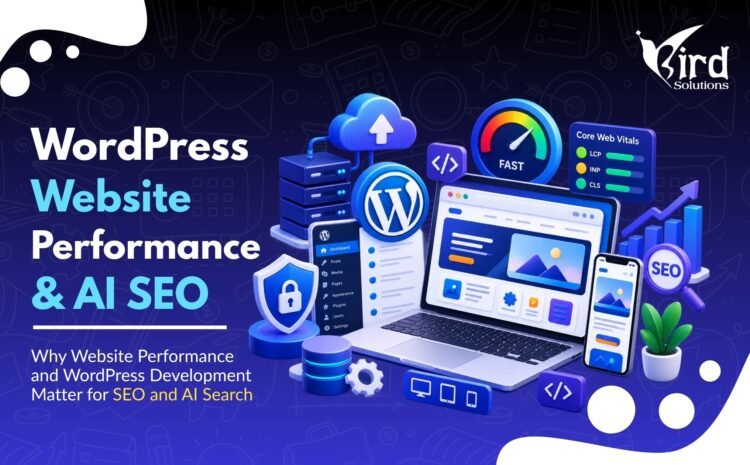
Why Website Performance and WordPress Development Matter for SEO and AI Search
A business website can look modern and still perform poorly.
It may load slowly, shift while users are reading, respond sluggishly to clicks, hide important information behind unnecessary scripts or make it difficult for search engines to discover key pages.
These problems affect more than design. They can influence user experience, search visibility, conversions and how efficiently search systems access and understand the site.
In 2026, this matters even more because businesses are optimizing not only for traditional search results but also for AI-assisted search experiences. Google’s current guidance for generative AI features continues to emphasize established SEO fundamentals, including crawlability, indexability, useful content and good page experience.
Website Performance Is a Business Issue, Not Just a Developer Metric
A visitor does not care why a page is slow. They simply experience the delay.
If a potential customer arrives from Google, LinkedIn, an advertisement or an AI-generated search result and the website is frustrating to use, the marketing investment that generated the visit can be wasted.
Website performance should therefore be evaluated alongside lead generation and conversion goals—not treated only as a technical maintenance task.
How Website Performance Affects SEO
Google recommends good Core Web Vitals for success with Search and for a strong user experience. However, Google also makes clear that Core Web Vitals are part of a broader page-experience picture rather than the only factor that determines rankings.
A technically healthy website should support:
- Fast and stable page experiences
- Mobile usability
- Secure HTTPS delivery
- Clear access to the main content
- Crawlable navigation and internal links
- Useful, people-first content
Core Web Vitals Explained
Google’s current Core Web Vitals focus on three areas of real-world user experience:
| Metric | Measures | Good Threshold |
|---|---|---|
| LCP — Largest Contentful Paint | Loading performance | 2.5 seconds or less |
| INP — Interaction to Next Paint | Responsiveness | 200 milliseconds or less |
| CLS — Cumulative Layout Shift | Visual stability | 0.1 or less |
Why These Metrics Matter to Users
- LCP: How quickly does the main content become visible?
- INP: How quickly does the page respond when a visitor interacts?
- CLS: Does the layout unexpectedly move while the visitor is trying to read or click?
Why WordPress Development Quality Matters
WordPress itself can support fast, search-friendly websites, but the final result depends heavily on how the website is built and maintained.
A WordPress site can become unnecessarily heavy because of an oversized theme, too many plugins, unoptimized images, excessive scripts, poor caching, inefficient database usage or low-quality hosting.
The official WordPress optimization documentation recommends optimizing both WordPress and the server environment so they operate efficiently.
Common WordPress Performance Problems
- Large, uncompressed images
- Too many plugins
- Plugins loading assets on pages where they are not needed
- Heavy page builders or themes
- Render-blocking CSS and JavaScript
- No effective page caching
- Slow hosting or server configuration
- Database bloat
- Third-party tracking scripts
- Outdated WordPress core, themes or plugins
Technical SEO Starts With Crawlability and Indexability
Before a page can compete in search, search engines need to be able to access and understand it.
Google Search Essentials describes technical requirements as the minimum conditions a page needs to be eligible for Google Search. Google also explains that Search works through crawling, indexing and serving results.
This is why website development and SEO should not be treated as completely separate services.
Technical Checks Every Business Website Needs
- Important pages return successful HTTP responses.
- Pages intended for search are not accidentally blocked by robots.txt or noindex.
- Canonical tags are used correctly.
- XML sitemaps contain relevant indexable URLs.
- Internal links help users and crawlers discover important pages.
- Redirects are clean and intentional.
- Broken links and 404 errors are monitored.
- JavaScript does not unnecessarily hide critical content.
Mobile-First Development Is Essential
Google uses the mobile version of a site’s content for indexing and ranking. A website should therefore provide the same important information and structured data on mobile while remaining easy to navigate on smaller screens.
Mobile development should consider:
- Readable typography
- Touch-friendly buttons
- Simple navigation
- Fast media loading
- Stable layouts
- Accessible forms
- No important desktop-only content
Website Architecture Helps Search Engines and Customers
A clear site structure tells visitors where to go and helps search engines discover relationships between pages.
For a digital marketing company, a simple structure might be:
- Home → Digital Marketing Services
- Digital Marketing → AI SEO Services
- Digital Marketing → Social Media Marketing
- Website Development → WordPress Development
- Resources → SEO / AI SEO / Social Media / Website blogs
This creates logical topic clusters and gives internal links a meaningful purpose.
Structured Data: Useful, but Not a Magic AI SEO Tool
Structured data gives search engines explicit machine-readable information about certain page content and entities. Google uses supported structured data to understand pages and enable eligible search features.
Businesses should use schema that accurately matches visible page content and follows Google’s guidelines.
Structured data can improve machine understanding, but it does not guarantee rankings, rich results or inclusion in AI-generated answers.
What Makes a Website Ready for AI Search?
There is no separate technical shortcut that guarantees AI-search visibility.
Google’s 2026 generative-AI optimization guidance reinforces familiar principles: make content accessible to Google, create useful information for people and maintain sound SEO foundations.
A practical AI-ready website should:
- Be crawlable and indexable
- Have clear page titles and headings
- Explain services and expertise precisely
- Answer real customer questions
- Use descriptive internal links
- Provide useful text—not only visual elements
- Maintain good page experience
- Use structured data when appropriate
- Keep important business information consistent
- Publish original, trustworthy and up-to-date content
Website Performance and Conversion Optimization
SEO brings the visitor. The website still has to convert the opportunity.
A high-performing service page should quickly answer:
- What service is being offered?
- Who is the service for?
- What problem does it solve?
- Why should the visitor trust the company?
- What should the visitor do next?
Performance and conversion design work together. A fast website with a confusing message can still fail. A persuasive website that takes too long to load can also lose opportunities.
Practical Example: Website Development in Ahmedabad
Consider a business searching for WordPress development in Ahmedabad. After finding a provider, the visitor may evaluate the website itself as evidence of the provider’s ability.
A strong agency website should therefore demonstrate:
- Fast, mobile-friendly pages
- Clear service information
- Professional design
- Logical navigation
- Portfolio or relevant proof
- SEO-friendly architecture
- Easy enquiry forms
- Transparent contact information
For iBird Solutions, the website is not only a marketing channel—it is also a live demonstration of website-development capability.
WordPress Performance Checklist
- Measure Core Web Vitals using PageSpeed Insights and Search Console.
- Optimize oversized images and use appropriate modern formats where supported.
- Use caching appropriate to the hosting environment.
- Review plugins and remove unnecessary functionality.
- Reduce unnecessary JavaScript and CSS.
- Use a performance-conscious theme or development approach.
- Review third-party scripts and tracking tags.
- Maintain the database.
- Keep WordPress, themes and plugins updated after appropriate testing.
- Maintain reliable backups and basic security hardening.
- Test important pages on real mobile devices.
- Monitor performance after major design or plugin changes.
When Should a Business Redesign Its WordPress Website?
A redesign may be worth considering when:
- The site is difficult to use on mobile.
- Pages are consistently slow.
- The design no longer represents the brand.
- The site architecture has become confusing.
- The website is difficult to update.
- Old plugins or themes create maintenance risks.
- Important services are difficult to find.
- The site receives traffic but generates few enquiries.
- Technical SEO problems are built into the current structure.
- The business has changed significantly since the website was created.
A redesign should not be cosmetic only. It is an opportunity to improve performance, SEO, content architecture, conversion paths, accessibility and maintainability together.
Conclusion
Website development, SEO and AI-search readiness are increasingly connected.
A business cannot rely on content alone if important pages are slow, difficult to crawl, poorly organized or frustrating on mobile. At the same time, technical performance alone cannot replace useful content and a clear customer experience.
The strongest approach combines WordPress development, technical SEO, page performance, useful content, structured information and conversion-focused design.
Build a Faster, Search-Ready WordPress Website
iBird Solutions provides Website Development in Ahmedabad, WordPress Development in Ahmedabad, Digital Marketing Services and AI SEO Services. Whether you need a new website or want to improve an existing WordPress site, the goal should be a website that is fast, useful, search-friendly and built to convert.
Frequently Asked Questions (FAQs)
Does website speed affect SEO?
Website performance contributes to page experience, and Google recommends good Core Web Vitals. Speed should be improved primarily because it benefits users; it should not be treated as the only SEO ranking factor.
What are the three Core Web Vitals?
The current Core Web Vitals are Largest Contentful Paint (LCP), Interaction to Next Paint (INP) and Cumulative Layout Shift (CLS). They measure loading performance, responsiveness and visual stability.
Is WordPress good for SEO?
Yes. WordPress can support a strong SEO strategy when the site is developed, configured and maintained correctly. Theme quality, plugins, site architecture, content and performance all influence the final result.
Does WordPress work for AI SEO?
Yes. AI-search readiness is not limited to a particular CMS. A WordPress website can be suitable when its content is accessible, crawlable, indexable, useful and technically sound.
Does schema markup improve AI-search visibility?
Structured data can help search engines understand supported information, but it does not guarantee rankings or inclusion in AI-generated answers.
Should I use a lot of plugins to optimize WordPress?
Not necessarily. Plugins can add useful functionality, but every plugin should have a clear purpose. Too many overlapping or poorly coded plugins can create performance, compatibility and maintenance problems.
How do I test my website performance?
Google PageSpeed Insights can report lab and field data, while Search Console provides Core Web Vitals reporting for groups of URLs when sufficient data is available.
When should I hire a WordPress development company in Ahmedabad?
Consider professional help when you need a new business website, a redesign, custom functionality, performance improvements, technical SEO fixes, security improvements or ongoing development support.